Trigger Flow to create Viewer Document
TL;DR
To automatically create a document in Viewer, provide 2 inputs in the Viewer Flow action:
- Record Id
- Template Id
That’s the minimum required setup.
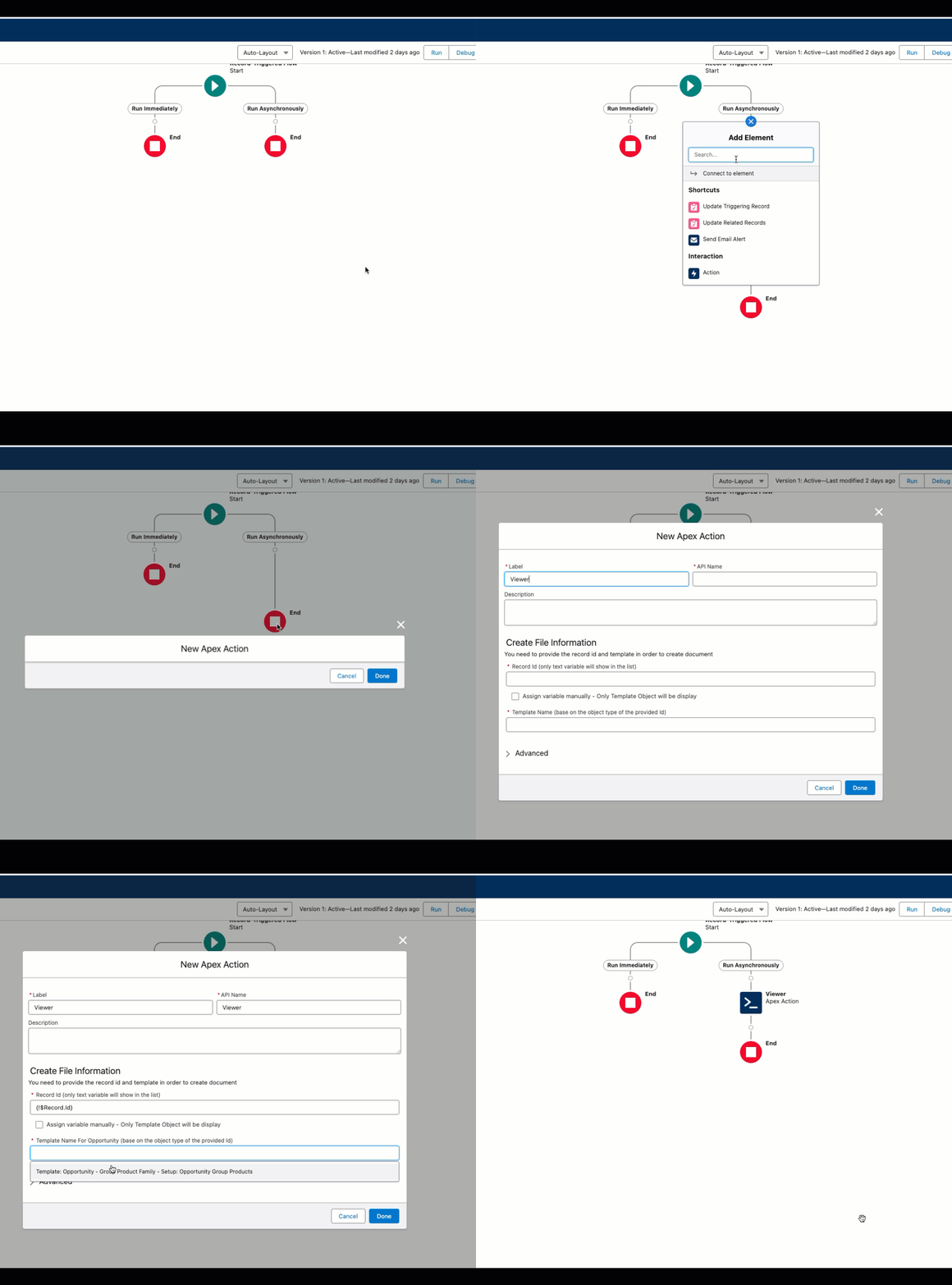
Use a record-triggered Flow with a Run Asynchronously path, then add Create file immediately [Viewer] and pass:
- Record Id
- Template Id
1) Define the document template
Before building the trigger Flow, make sure your Viewer template is ready and available.
You will need the template selected when configuring the Viewer action.
2) Set up the trigger flow
Create your record-triggered Flow based on the business event you want.
Then include a Run Asynchronously path in the Flow.
3) Specify the trigger conditions
Define when the document should be generated.
These conditions decide when the Viewer action runs.
Make sure the trigger is configured to include the Run Asynchronously path.
4) Add Viewer action
In the Run Asynchronously path:
- Add a new Action
- Search for Viewer
- Select Create file immediately [Viewer]
5) Configure "Create file immediately" action
Configure the action inputs:
- Record Id: primary object record id
- Template Id: template to use for generation
You can use autocomplete or enter values manually.
Before activation, confirm both values are populated:
Record IdTemplate Id
6) Preview and test
After saving the Flow, activate it and test through a real process.
Flow Debug is not the right test method here. Activate the Flow and test it in a real process.